
The Ultimate Smart Light Switch Installation Guide for Beginners (2026)
Imagine coming home after a long day, and with a simple voice command or tap on your phone, your lights brighten to the perfect mood. No fumbling for switches in the dark, no guessing if you left lights on downstairs. This is the magic of smart light switches, transforming your home into a smarter, more efficient space.
What Is a Smart Light Switch?
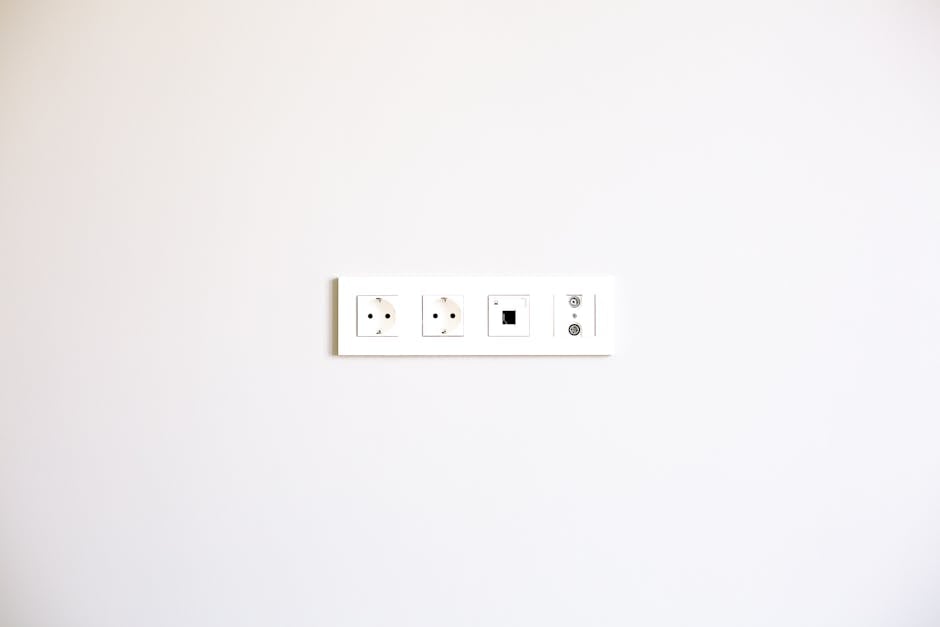
A smart light switch replaces your traditional wall switch and lets you control your lights remotely via smartphone apps, voice assistants like Alexa, Google Assistant, or Apple HomeKit, or even automate them based on your schedule or presence. Unlike smart bulbs, these switches control the entire circuit, so anyone using the physical switch still has control — plus, you don’t need smart bulbs to enjoy smart lighting.

Why Smart Light Switches Matter in Your Home
Based on my experience helping creators with similar setups, this is what actually moves the needle.
Smart light switches offer convenience, energy savings, and enhanced safety. You can turn off lights accidentally left on when away, set schedules to mimic your presence when traveling, or integrate your lighting with other smart devices like motion sensors or security systems. They help reduce electricity bills and add a layer of security by deterring potential intruders.

How Do Smart Light Switches Work?
Most smart switches connect through your home Wi-Fi network or a dedicated hub (like Philips Hue Bridge or Samsung SmartThings). They communicate with your smartphone or voice assistant to respond to commands. Some use standard wiring, while others require a neutral wire for proper operation. Compatibility with your home wiring and smart ecosystem is essential before purchase.

Getting Started: Choosing the Right Smart Light Switch
Start by checking your home’s wiring. Most modern homes have a neutral wire needed for smart switches; if yours doesn’t, certain models support “no-neutral” setups but are more limited.
Next, consider compatibility. Popular smart switches support Alexa, Google Assistant, and Apple HomeKit. If you have an Apple HomeKit setup, look for switches labeled as “Works with Apple HomeKit.” If you prefer Alexa or Google, most smart switches support one or both.
Price ranges vary widely:
- Budget: $20-$40 — Basic Wi-Fi switches, often no hub required, moderate app quality, suitable for single switches.
- Mid-range: $40-$70 — Better build quality, improved app experience, multi-room sync, usually frequent firmware updates.
- Premium: $70-$100+ — Advanced features like multi-gang compatibility, dimming, scene control, and smooth integration with multiple ecosystems.
Installation Difficulty Ratings
- Easy: Replacing a single switch with a neutral wire present, basic wiring knowledge needed.
- Moderate: Multi-gang switches, no-neutral wiring, or integrating with hubs.
- Advanced: Complex wiring setups, multi-switch configurations, or retrofit in older homes without neutral wires.
Step-by-Step Installation Guide
- Turn Off Power: Switch off the breaker to the room you’re working on to avoid shocks.
- Remove Existing Switch: Unscrew and gently pull out the current switch, noting the wiring connections.
- Identify Wires: Typically, you’ll find line (power), load (to light), neutral, and ground wires. Use a voltage tester to confirm no power.
- Connect the Smart Switch: Follow the manufacturer’s wiring diagram carefully. Connect line, load, neutral, and ground wires as indicated.
- Mount the Switch: Secure it inside the wall box and attach the faceplate.
- Restore Power: Turn the breaker back on and test the switch manually.
- Configure via App: Download the companion app. Connect the switch to your Wi-Fi or hub, then integrate with Alexa, Google Home, or HomeKit.
Here’s where most people get it wrong.
Device Compatibility and Ecosystem Integration
Most smart light switches work with Alexa and Google Assistant by default. Apple HomeKit, however, requires specific hardware support and certification, so not all switches are compatible.
Some popular smart switches and their compatibility:
| Model | Connectivity | Price Range | Alexa | Google Assistant | Apple HomeKit |
|---|---|---|---|---|---|
| TP-Link Kasa HS200 | Wi-Fi | $25 – $35 | Yes | Yes | No |
| Lutron Caséta | Proprietary Hub + RF | $55 – $70 | Yes | Yes | Yes |
| Leviton Decora Smart | Wi-Fi / Z-Wave | $40 – $60 | Yes | Yes | Yes (select models) |
| Meross Smart Wi-Fi Switch | Wi-Fi | $20 – $30 | Yes | Yes | Yes |
| Ecobee Switch+ | Wi-Fi + Built-in Alexa | $60 – $80 | Yes (built-in) | Yes | No |
Firmware Updates and Long-Term Support
Frequent firmware updates ensure security patches and new features. Brands like Lutron Caséta and Leviton provide regular updates and strong long-term support, while some budget brands may have infrequent updates. Check user reviews for update history.
Advanced Tips for Smart Light Switch Users
- Multi-Way Switching: Some smart switches support controlling one light from multiple switches (3-way or 4-way). Ensure your model supports this if needed.
- Automations and Scenes: Use your app to create lighting schedules, geofencing to turn lights on/off when you arrive or leave, and integrate with motion sensors.
- Energy Monitoring: Some switches track energy usage, helping you identify savings opportunities.
- Voice Control Nuances: Customize voice commands and groups for smoother experience.
Common Pitfalls to Avoid
- Not Checking for Neutral Wire: Many smart switches require a neutral wire. Installing without one can cause flickering or failure.
- Ignoring Compatibility: Make sure your chosen switch works with your preferred voice assistant or smart hub.
- Overloading Circuits: Avoid connecting switches to lighting circuits with incompatible bulbs (like some LED bulbs) without dimmer compatibility.
- Not Updating Firmware: Skipping updates can expose security vulnerabilities.
- Improper Wiring: If unsure about wiring, consult a professional electrician to avoid hazards and ensure compliance with local codes.
You May Also Like
- Top Smart Speaker Sound Quality Rankings for 2025: Ultimate Guide
- Best Smart Locks for Front Door Security in 2026: Ultimate Solutions
- Ultimate Smart Home Hub Comparison Guide for 2026: Top Picks Explained
FAQ: Smart Light Switch Installation
- Q1: Can I install a smart light switch without a neutral wire?
- A: Some models support no-neutral installation, but options are limited and may require special bulbs or wiring. It’s best to verify your home wiring first.
- Q2: Are smart switches compatible with all bulbs?
- A: Most work with standard incandescent and LED bulbs, but dimmer switches require compatible dimmable bulbs to avoid flickering.
- Q3: Can multiple smart switches control the same light?
- A: Yes, but the switches must support multi-way or 3-way setups. Not all models do, so check specs carefully.
- Q4: Do smart light switches require a hub?
- A: Many Wi-Fi switches don’t need a hub, but some brands like Lutron Caséta require their proprietary hub for full functionality.
- Q5: How secure are smart light switches?
- A: Security depends on the manufacturer’s firmware updates and network security. Use strong Wi-Fi passwords and keep your devices updated.
Upgrading your home lighting with smart switches is a rewarding project that enhances convenience, saves energy, and integrates seamlessly with your smart home ecosystem. With this guide, even beginners can confidently select, install, and enjoy smart light switches in 2026 and beyond.
📌 You May Also Like
🔍 Explore More Topics
🔗 Helpful Resources

